
For interior designers
Furnishings, estimate and a client panel in one project—Interior Design Calculator
Furniture and materials room by room, with quantities and prices. The AI sets the rooms from a description or a floor plan, the client gets a PDF with the studio’s logo and accepts the items in the client panel.
- Your first AI estimate costs nothing and needs no card; you see the full estimate in PRO
- Products from any online shop through the Chrome extension
- PDF estimates with the studio’s logo and details


Furnishings room by room
The client accepts items
PDF with the studio’s logo

How it works
From the product in the shop to the client’s decision
Five steps in one app, from the product in the shop to the client’s decision. The app is in Polish for now, and so are its screens.
You add a product from a shop
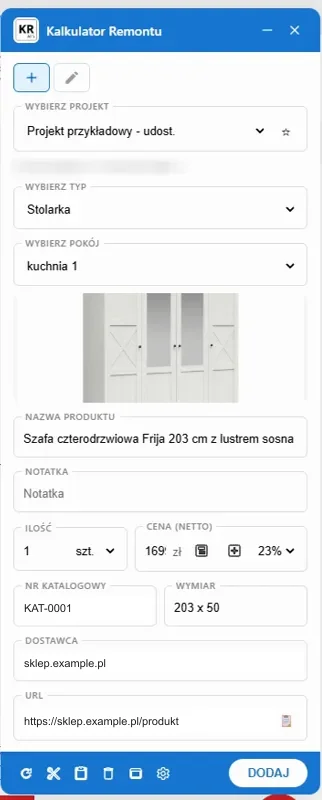
With the Chrome extension you add a product from any shop: the name, the photo and the price go into the room you choose.
You put the list together as a PDF
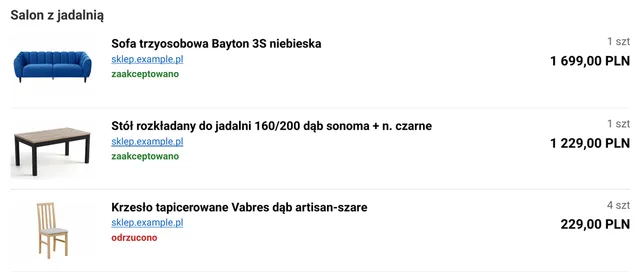
A list of products with photos and clickable links to the shops.
You send the client the panel
The client opens the client panel from the link, without creating an account, after entering their email. You decide whether they see prices.
The client decides
They accept or reject items, comment on them, leave notes on the photos and answer the studio’s questions.
You see the decisions in the project
The client’s decisions and comments are next to the items. You know what to order.


In the project
An interior design estimate without Excel
A furnishings schedule and an estimate of the work that do not drift apart between files.
Furnishings schedule room by room
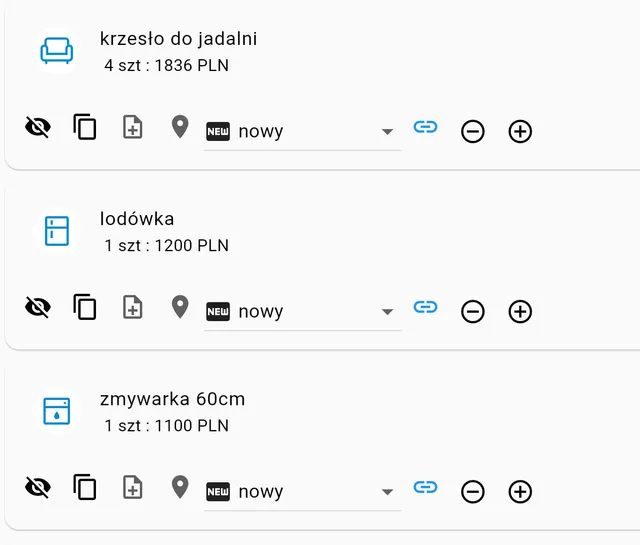
Furniture and appliances with quantity and price, assigned to rooms. On the items you set the status: ordered, delivered, installed.
A description of the project for the AI
Apartment 54 m², kitchen with living room, two bedrooms: turnkey finish with fitted kitchen units.
Set: 54 m², three rooms, kitchen and bathroom. The template works out the work and the materials with quantities.
The AI reads the description and the photo of the floor plan, not renders. You can correct every item.
Materials in one place
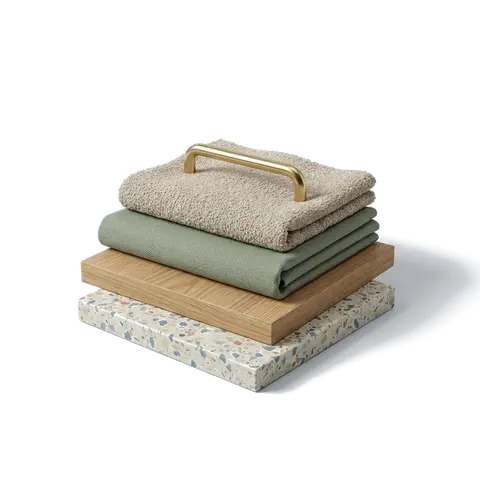
Tiles, floors and accessories with quantity and price, by room.
Rooms with dimensions
The room dimensions turn into meters of floors, walls and ceilings.
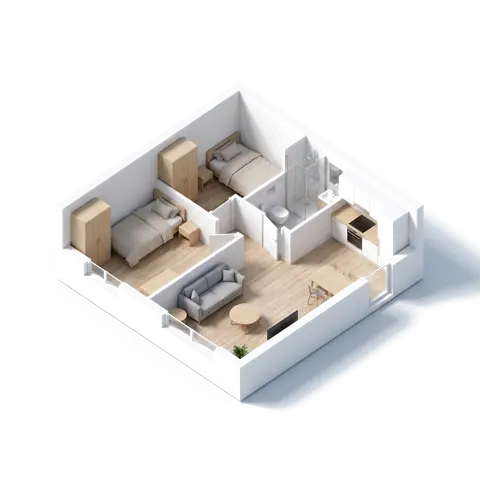
Project photos and documents
- A photo gallery in the project
- PDF, Word and Excel files and photos with the project
- Your own photo on a furnishings item
- A moodboard with paint producers’ palettes: you attach the project’s board to the client’s PDF
Costs under control
- Furnishings, materials and labor separately
- Margin, discount and VAT rate
- How much the client has already paid


Chrome extension
Products from any shop straight into the room
We have no list of supported shops. The extension reads the product page the way the customer sees it.
On the product page
You choose the project and the room; the name, the photo and the price are already filled in.
In the project
The product goes into the furnishings of the room you chose, with quantity and price.
In a measurement on October 4, 2026, on 24 Polish interior furnishing shops, version 1.0.6 of the extension read the product name and photo on all 24 pages.
- When the page publishes nothing: „Wytnij zdjęcie” (Cut out the photo), or select the text with the mouse and say what it is.
- After adding a product, check the price: some shops show it in several ways at once.
Features on recordings
Polish app interface
The Chrome extension: from installing it to a product in the project
You install the extension from the Chrome Web Store and pin it to the toolbar. On the producer’s page the panel copies the name, the price, the photo and the producer by itself, and here the wardrobe’s dimensions too. You choose the project and the room, click „Dodaj” (Add), and the item is in the app.
Item library
You save an item in the library and add it to the next projects with one click. The library comes with the PRO subscription for companies.
Inspiration board
You collect photos, colors and a guiding phrase on one board. The client sees it in the panel before they start rating the items. You add it to the PDF in the section settings. The recording shows a color from the Dulux palette.
A QR code on the printout
The client scans the code on the printout and sees the project in their panel straight away. They do not have to look for the email with the link, and the printout and the panel show the same items.
The link to the client panel
You create a link to the panel for the client’s email and decide whether they see prices.
What the client sees
The client accepts or rejects items, comments on them, leaves notes on the photos and answers the studio’s questions.
Decisions come back to the project
You see the client’s decisions, comments and notes in one place. You move a client’s decision into the item with the „Przenieś do pozycji” (Move to the item) button.
Item status
On an item you set its status: „zamówione”, „dostarczone”, „zamontowane” (ordered, delivered, installed). Order and installation statuses are available to architecture studio accounts.
Projects
From the first conversation to the finished interior
An apartment or a house: furnishings and work in one project, with a summary of the amounts.

Meeting the client
You show the schedule with the amounts on your phone or as a PDF.
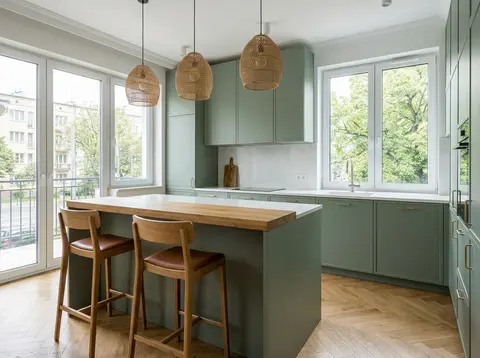
Kitchen with an island
Fitted units, appliances and worktops as items with prices.
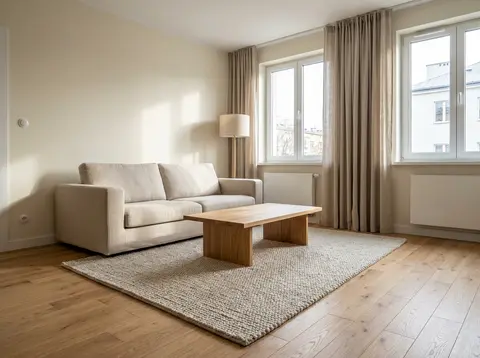
Turnkey living room
Furniture, lighting and accessories assigned to the living room.


Planner and documents
Floor plan, furniture and a contract with the project’s data
Two free tools beside the app. You open them from the project menu.
Floor plan and 3D in the planner
You draw the floor plan with the area of every room and look at it in 3D. You move the rooms with their area and perimeter into the app without retyping: into a new project or into a project you already have (then the rooms from the plan replace its rooms; items and totals stay in the estimate, check them after the import). The furniture placed in the planner goes into the project as furnishings, with quantity. When the planner knows the price of a producer’s piece of furniture, it carries the price over with the date it was read; for the others you set the price yourself.
- The layout analysis checks the passage by the bed and the wardrobe, the space by the toilet and the washbasin, the sockets in the bathroom zones and the extraction in the kitchen and the bathroom
- With each result you see whether it is a requirement or a recommendation. The decision is yours


Design contract and handover report
The documents generator has four documents for studios, in Polish for now: the interior design contract, the design handover report, the design change order and the copyright assignment. The parties, the address and the contract date carry over from the contract to the handover report and the change order.
Open
For the client
What your client sees
A PDF under the studio’s name or the client panel, in which the client decides on every item.
You choose the scope
The scope of the estimate and the details for the client: items, completion time, notes on prices.

The client gets a PDF
The Classic or Modern template or the product list, with the studio’s logo and details.


The client panel without creating an account
The client opens the link and enters their email. They see the project, the studio’s details, the items with photos and the gallery of photos and floor plans.
Approval of every item
The client accepts or rejects items, products too, comments and marks places on the photos. You move a client’s decision into the project with the button on each item.
Prices only when you want
You show the client gross prices only if you turn them on. The client sees no margin, discount or net prices.
The client panel comes with the PRO subscription for design studios.
Studio and site
You collect in the studio, you show at the client’s
At your desk you add products from the shops, and at the client’s you open the same project in the browser on a phone or a tablet.


A designer’s desk in the evening, with samples and a lamp—illustration. A bare apartment straight from the developer, with material samples by the wall—illustration.
What PRO adds
See pricingThe full estimate
Every category and amount, with no hidden items.
Estimate settings
Scope of the estimate, details the client sees, and the PDF template.
Project sharing
Access for a chosen person: read, edit or admin. The public read-only link is for companies.
Duplicate projects
Copy a project and choose what comes along: quantities, photos, notes.
Frequent questions about software for interior designers
Does the AI estimate from renders and photos of interiors?
No. The AI reads the description of the project and the photo of the floor plan. You add photos as documentation.
In what formats can I export the schedule?
To PDF with the studio’s logo and to XLS. You can also import XLS and your own price list. There is no export to SketchUp or DWG.
Does the extension work in my shops?
The extension has no list of supported shops: it reads the product page the way the customer sees it. It checks in turn the schema.org data (JSON-LD), the og: and product: tags, the microdata in the content, and finally the page text itself; the first source that gives something wins, separately for each field. When the page publishes nothing, you select the name, the price or the photo with the mouse.
Does the client have to create an account?
No. They open the link to the client panel and enter their email. They can also get a PDF.
How much does it cost?
Your first AI estimate from a description or a photo of the floor plan (the floor plan with a free account) costs nothing and needs no card. The estimate settings with the studio’s logo and the client panel come with a PRO subscription; what it adds is in the section “What PRO adds” above and on the pricing page.
What happens to my projects if I cancel PRO?
The projects and the data stay in the account. Without PRO you cannot create new projects or issue new client panel links; the ones issued earlier keep working.

Get started
Your first schedule today
Describe the project or add a floor plan. Your first AI estimate costs nothing and needs no card. The app is in Polish for now: email us and we will let you know when the English version is ready.
Join Our User Community
Have questions? Join our community of renovation calculator users and share your experiences.
