
Full renovation calculator
Renovation estimates with AI: from a description or a floor plan, in minutes—Renovation Work Calculator
Describe the scope of work or add a photo of the floor plan. The AI sets the rooms and the parameters, the app works out the work and the materials with quantities, and you adjust the prices and send the client a PDF estimate or a link to the project.
- Your first AI estimate costs nothing and needs no card; you see the full estimate in PRO
- You can correct every item, quantity and price
- PDF and XLS estimates with your company details


Description or floor plan
Items with quantities
PDF for the client

How it works
From the site visit to the estimate at the client’s
Four steps, each with a real screen of the app. The app is in Polish for now, and so are its screens.
Site visit
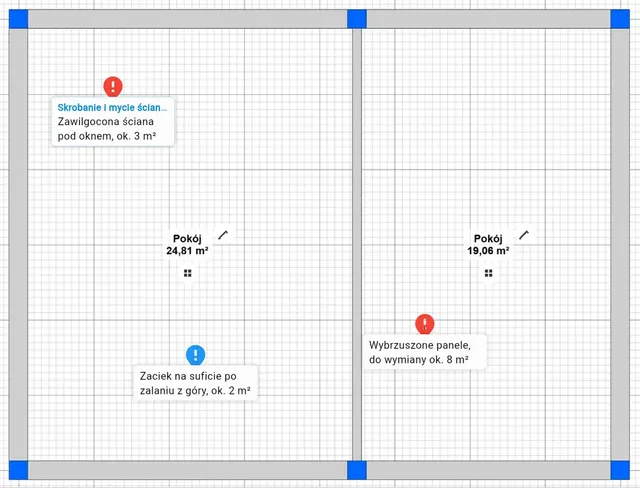
On your phone you mark places on the floor plan and add photos and notes to the work.
Estimate with AI
A description of the scope or a photo of the floor plan is enough. The AI sets the area, the rooms and the parameters, and the template works out the work with quantities and prices.
PDF and a link for the client
You choose what the client sees and send a PDF estimate or a read-only link.
Prices from shops
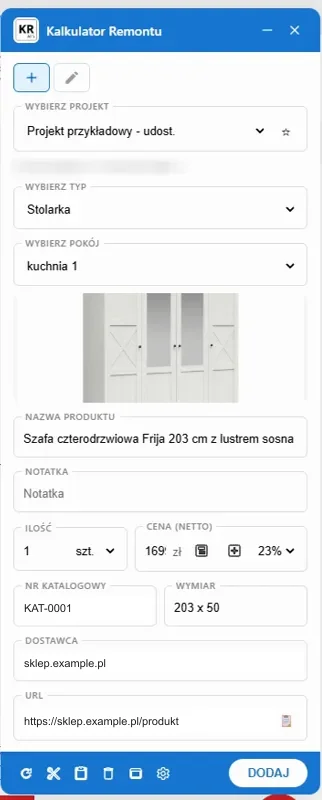
You add material from an online shop with the Chrome extension: the name, the photo and the price go into the project.


In the project
The whole renovation in one project
The work, the materials, the fittings, the photos and the costs of an apartment, a house or a commercial unit—in one place, on your phone and on your computer.
A description of the work for the AI
Bathroom renovation 5 m²: chipping off the tiles, new tiles up to the ceiling, replacing the bathtub with a shower.
Set: bathroom 5 m², old building. The template works out the work and the materials with quantities.
The AI reads the description and the photo of the floor plan, not photos of the rooms. You can correct every item before the estimate goes out.
A floor plan with markers
An icon, a color, a comment and a photo at every place on the floor plan.
Rooms with dimensions
The room dimensions turn into meters of floors, walls and ceilings in the estimate.
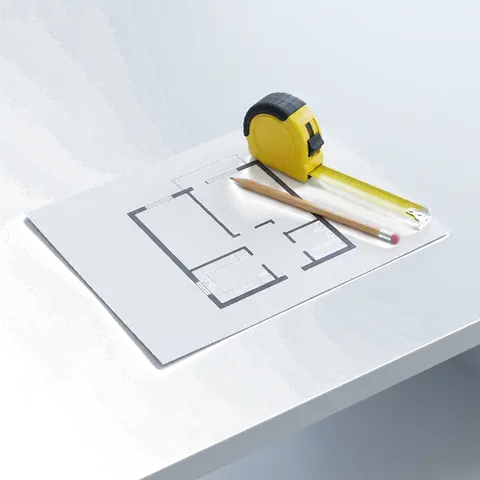
Photos before the renovation
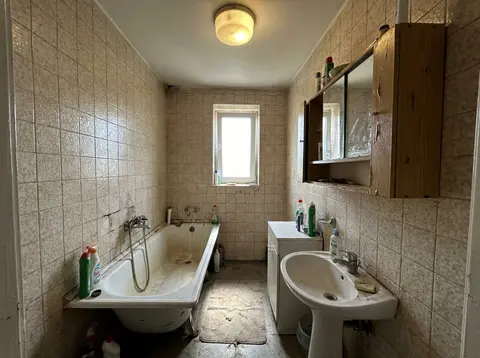
Notes on the work
A note with a photo on a job or a room, visible in the estimate.

Cost control
- Labor, materials and rubble removal separately
- Margin, discount and VAT rate
- How much has already been paid


Kinds of work
Renovation estimates from the installations to the whole apartment
You can estimate a single bathroom or the renovation of a whole apartment. The work splits into categories, each with labor and materials.
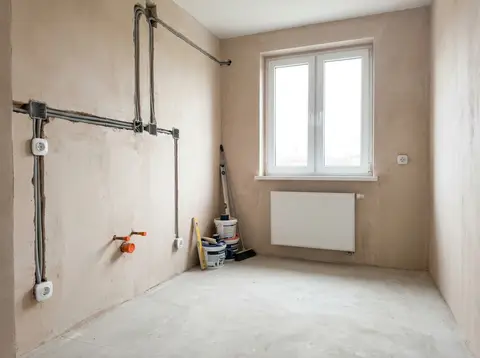
Installations
Electrics, plumbing and wall chases in categories, with quantities.
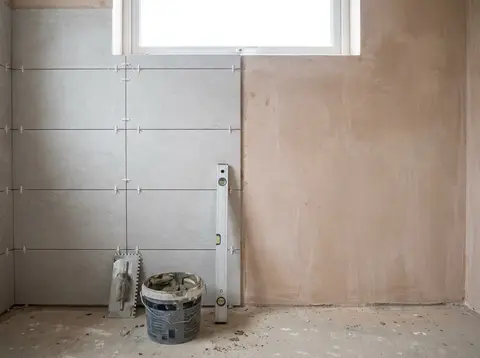
Tiling and bathrooms
Tiles worked out from the meters of walls and floor, each job with labor and materials.
A whole apartment or house
All the work in categories, in one estimate.


Planner and documents
The floor plan in the planner, the contract and the report from the generator
Two free tools beside the app. You open them from the project menu.
Floor plan and 3D in the planner
You draw the floor plan with the area of every room and look at it in 3D. You move the rooms with their area and perimeter into the app without retyping: into a new project or into a project you already have (then the rooms from the plan replace its rooms; items and totals stay in the estimate, check them after the import).
- The layout analysis checks the passage by the bed and the wardrobe, the space by the toilet and the washbasin, the sockets in the bathroom zones and the extraction in the kitchen and the bathroom
- With each result you see whether it is a requirement or a recommendation. The decision is yours


Contract, annex and acceptance report
From the project menu of the app (in Polish for now) you open the documents generator: the client, the address, the scope and the amounts are already filled in. You send the renovation contract for signature online, prepare an annex from the difference between two estimates, and after the job, the work acceptance report.
Open
The app
A renovation estimate in the app: real screens
A sample apartment estimate, the client’s details made up. This is what the estimate you prepare looks like. The app is in Polish for now, and so are its screens.
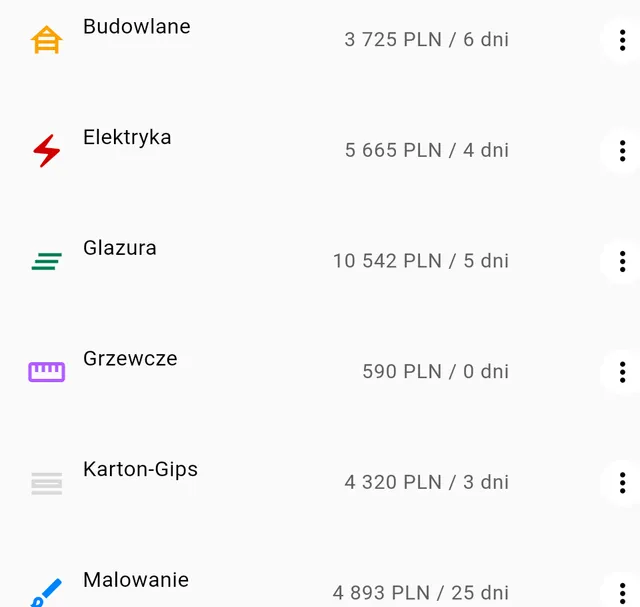
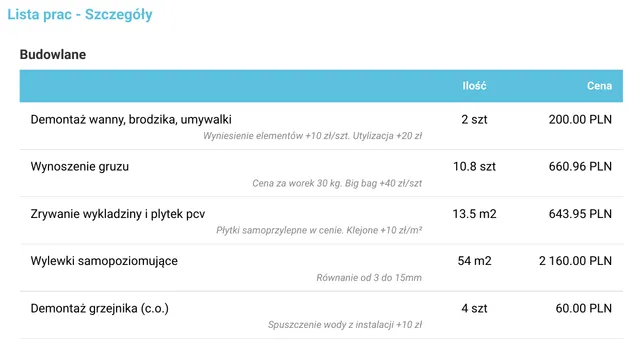
Work in categories with the quantity, the price and the number of crew days. Changing an item changes the totals straight away.


The plan with its markers goes into the PDF estimate together with the comments. You can also export the data to XLS.


A read-only link or access for a chosen person: read, edit or admin.

Features on recordings
Polish app interface
AI reads the floor plan
A photo of the floor plan becomes rooms with their areas.
Work by trade and by room
Tiling, painting, building work, joinery: you narrow the list of work to one trade or one room.
Your price list from Excel
You upload your company price list as an .xlsx or .csv sheet, and the item prices and the estimate total change straight away.
Margin and VAT
You set a margin for each kind of item separately, and the VAT rate. The recording shows a PRO account.
A PDF estimate with your logo
A finished document for the client with your company logo. The recording shows the PRO account of an architecture studio.
A copy of the project
You duplicate the project and choose what goes into the copy.
Access for a co-worker
A co-worker gets access to the project, to edit or as an administrator.
On site and at the desk
You start at the client’s and finish in the evening at the table
You open the project from the site visit on your computer, in the browser, and finish the estimate without retyping your notes.


A hallway before renovation with a laser distance meter and a tape measure—illustration. An evening at a contractor’s kitchen table, with a laptop and documents—illustration.
What PRO adds
See pricingThe full estimate
Every category and amount, with no hidden items.
Estimate settings
Scope of the estimate, details the client sees, and the PDF template.
Project sharing
Access for a chosen person: read, edit or admin. The public read-only link is for companies.
Duplicate projects
Copy a project and choose what comes along: quantities, photos, notes.
Frequent questions about renovation estimates
Does the AI estimate from photos of the rooms?
No. The AI reads the description of the scope of work and the photo of the floor plan. You add photos of the rooms as documentation to the work and the notes.
Do I have to give up Excel?
You don’t have to. You import items and your own price list from an XLS file, and export the finished estimate to XLS or PDF.
Where do the prices come from?
From your price list, from the items you correct yourself, and from online shops through the Chrome extension. You can change every price before sending.
Does the client have to create an account?
No. They get a PDF or a read-only link to the project.
Does it work on a phone?
Yes, in the browser on a phone, a tablet and a computer. You can then open the project from the site visit on your computer.
How much does it cost?
Your first AI estimate from a description or a photo of the floor plan (the floor plan with a free account) costs nothing and needs no card. You see the full estimate with a PRO subscription; what it adds is in the section “What PRO adds” above and on the pricing page.
What happens to my projects if I cancel PRO?
The projects and the data stay in the account. Without PRO you cannot create new projects or use the PRO features.

Get started
Your first estimate today
Describe the renovation or add a floor plan. Your first AI estimate costs nothing and needs no card. The app is in Polish for now: email us and we will let you know when the English version is ready.
Join Our User Community
Have questions? Join our community of renovation calculator users and share your experiences.
